> For the complete documentation index, see [llms.txt](https://mariadb.com/docs/llms.txt). Markdown versions of documentation pages are available by appending `.md` to page URLs; this page is available as [Markdown](https://mariadb.com/docs/mariadb-cloud/connecting-to-mariadb-cloud-dbs/connection-overview.md).
# Connection Overview
Overview of connecting to MariaDB Cloud databases, including supported drivers, connection strings, TLS requirements, IP allowlisting, and recommendations per application stack.
This page describes connecting to a MariaDB Cloud database using the following options:
* MariaDB-compatible client
* From your application
* Through SQL tools
* GUI Clients
{% hint style="info" %}
**Whitelist IP Address**\
Access to all services is by default protected by a firewall. You need to whitelist your client’s (your desktop, laptop or server) IP address before connecting. Select ‘Manage —> Security Access’ and then click ‘Add my current IP’ to add the IP of your current workstation (laptop, desktop).
{% endhint %}
{% hint style="danger" %}
**Warning**: Using `0.0.0.0/0` will disable the firewall. Never do this for production databases.\
For more details, go to the [Firewall](/docs/mariadb-cloud/security/configuring-firewall.md) settings page.
{% endhint %}
## Connecting Using the MariaDB Client
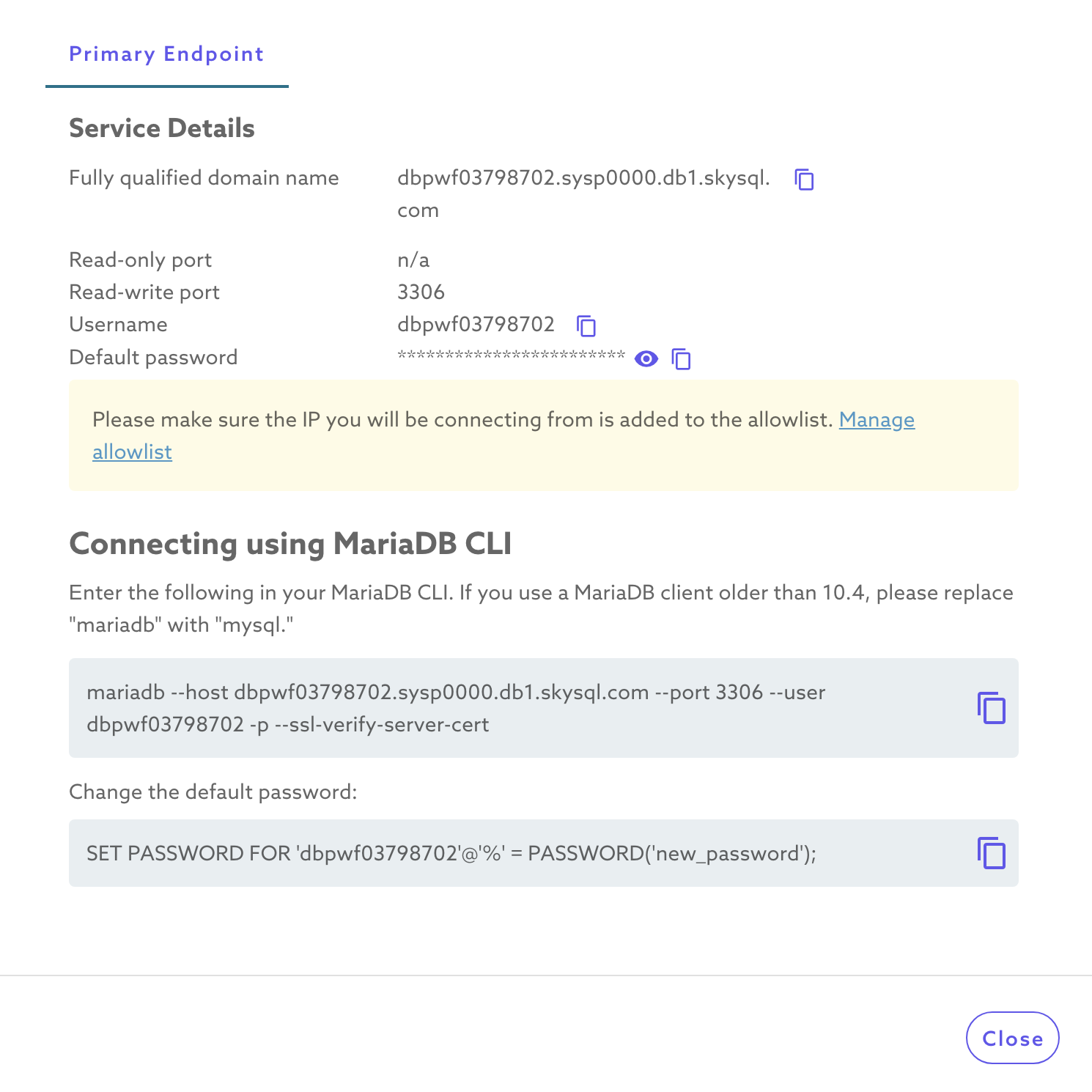
Once your DB service is launched, click on the ‘Connect’ option for your service on the dashboard. This pops up all the required attributes to connect from any SQL client.
Connection parameters include:
* Default username
* Default password
* Hostname (Fully Qualified Domain Name)
* TCP port (3306 or 3307)
* ssl-verify-server-cert (if SSL is ON)
{% hint style="info" %}
Unlike previous MariaDB Cloud versions, the current version no longer requires clients to supply the Server SSL Certificate for SSL connections. Customers who migrated from MariaDB corporation to MariaDB Cloud Inc can continue to use provided certificates (when using the previous MariaDB Cloud method for connecting). But we strongly recommend moving to the connection properties as shown in the Connect window for your service.
{% endhint %}